
Download the app
Sleep Ring & Sleep Test: the whole flow
Watch the recording to set up your ring, then follow the dashed path through the night itself — from the two questions to reading your report.
SleepMD Ring Guide
Pairing the ring, wearing it through the night, and sending your recording in for analysis.
Getting ready for the night
What to have ready before you start, what to keep in mind while the study runs, and a last check before you turn out the light.
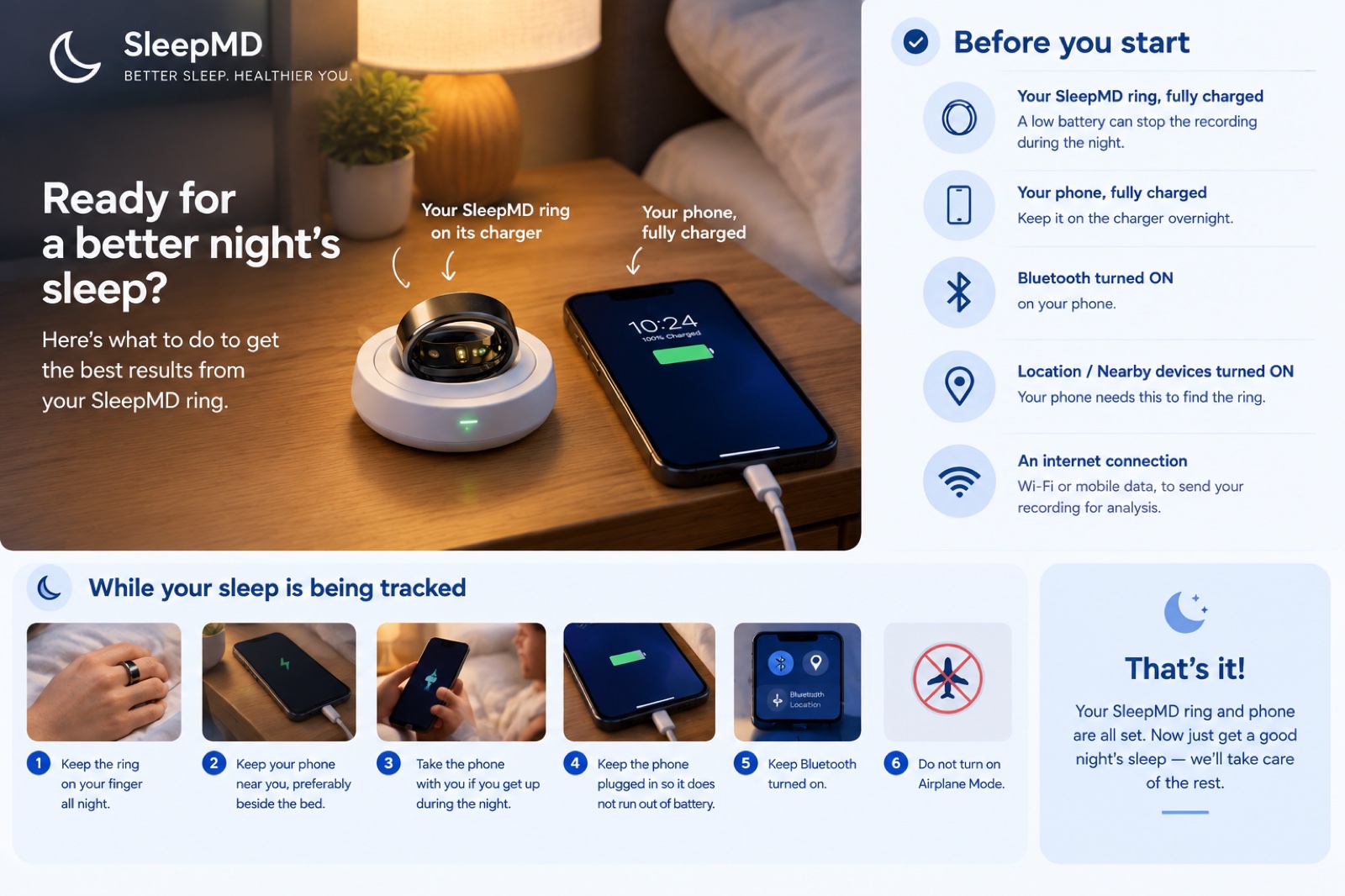
Quick checklist before you sleep
- Ring is fully charged
- Ring is on your finger
- Ring is showing SpO₂ and heart-rate readings
- Phone is charged and plugged in
- Phone is close to you
- Bluetooth is ON
- Location / Nearby devices permission is ON
- Internet connection is ON
- Airplane Mode is OFF
Then relax, go to sleep, and let SleepMD track your night.
0:00 / 0:00
Chapters
How to conduct a sleep test & review your sleep analysis
Eight chapters, from opening the app to reading your metrics. Tap one to jump the video to that moment — the chapter playing stays highlighted.